

Connect your PagerDuty account so incident updates flow both ways — this optional, one-time setup is for anyone who manages alert destinations for their organization.
Overview
- Paging PagerDuty already works with just a routing key — no setup needed for that.
- This guide adds the reverse direction: when someone acknowledges or resolves an incident in PagerDuty, the matching InfraNest incident updates to match.
- You set this up once for your organization's PagerDuty account.
What you'll need:
- You manage alert destinations for your organization.
- Access to your PagerDuty account's Integrations → Generic Webhooks (v3).
Get your webhook URL from InfraNest
- Go to Alerts, then Destinations, and add or edit your PagerDuty destination.
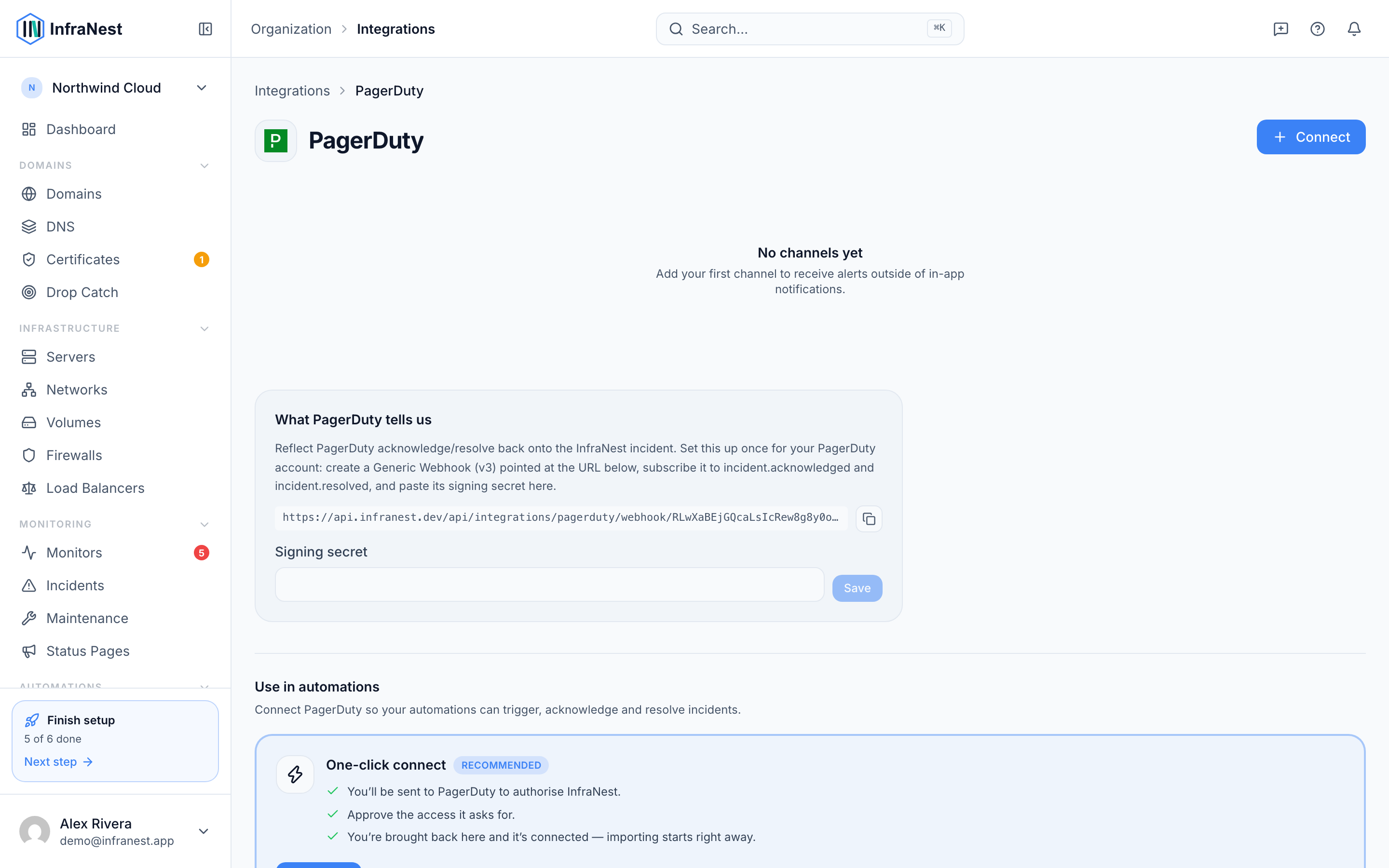
- In the Two-way sync (optional) panel, copy the Incoming webhook URL. It's unique to your organization — treat it like a secret.
Create the webhook in PagerDuty
- In PagerDuty, go to Integrations → Generic Webhooks (v3) and select New Webhook.
- Paste your InfraNest webhook URL as the destination.
- Subscribe the webhook to the events you want. At minimum, subscribe to
incident.acknowledgedandincident.resolvedfor two-way sync. To also use PagerDuty events as automation triggers, addincident.triggered,incident.escalatedandincident.reopened. - Save. PagerDuty then shows a Signing secret — copy it now. It's shown once, and you can't choose your own.
Add the secret to InfraNest
- Back in the Two-way sync (optional) panel, paste the signing secret PagerDuty gave you.
- Select Save. The panel shows it's configured once it's set.
NoteThe secret is how we know a request really came from PagerDuty. Being connected with OAuth doesn't cover this — that's our key for calling them. Until the secret is set, we ignore anything arriving on the URL.
That's it. Acknowledging or resolving an incident in either tool now updates the other.
Tips
- The webhook URL and secret are per-organization — each organization sets up its own, against its own PagerDuty account.
- The signing secret is stored encrypted and never shown again. Leave the field blank when editing to keep the existing one.
- Only incident acknowledge and resolve flow inbound; paging out to PagerDuty is unchanged.
- Requests without a valid signature are rejected, so only your PagerDuty account can update your incidents.
Troubleshooting
PagerDuty actions don't update InfraNest. Re-check that the webhook is subscribed to incident.acknowledged and incident.resolved, that the secret you entered is the one PagerDuty issued for that specific webhook (a different webhook has a different secret), and that the webhook URL is exactly the one shown in InfraNest.
You can't find where to set a secret in PagerDuty. There isn't one to set yourself — PagerDuty generates it and shows it once, when the webhook is created. If you missed it, delete the webhook and create it again.
Was this article helpful?