

Search across all your connected registrars at once, compare prices, and register or transfer a domain without leaving InfraNest. This is for anyone managing domains for their organisation.
Overview
- Search a domain name and see live pricing from every connected registrar in one place.
- Register new names, transfer in existing ones, or do both together in a single cart.
- Set the term, nameservers, WHOIS privacy, auto-renew and contact once for everything you're buying.
Register a domain
- Go to Domains and select Add domain.
- Enter the name you want. InfraNest asks every connected registrar at once and shows a row for each, with the first-year price and what it renews at.
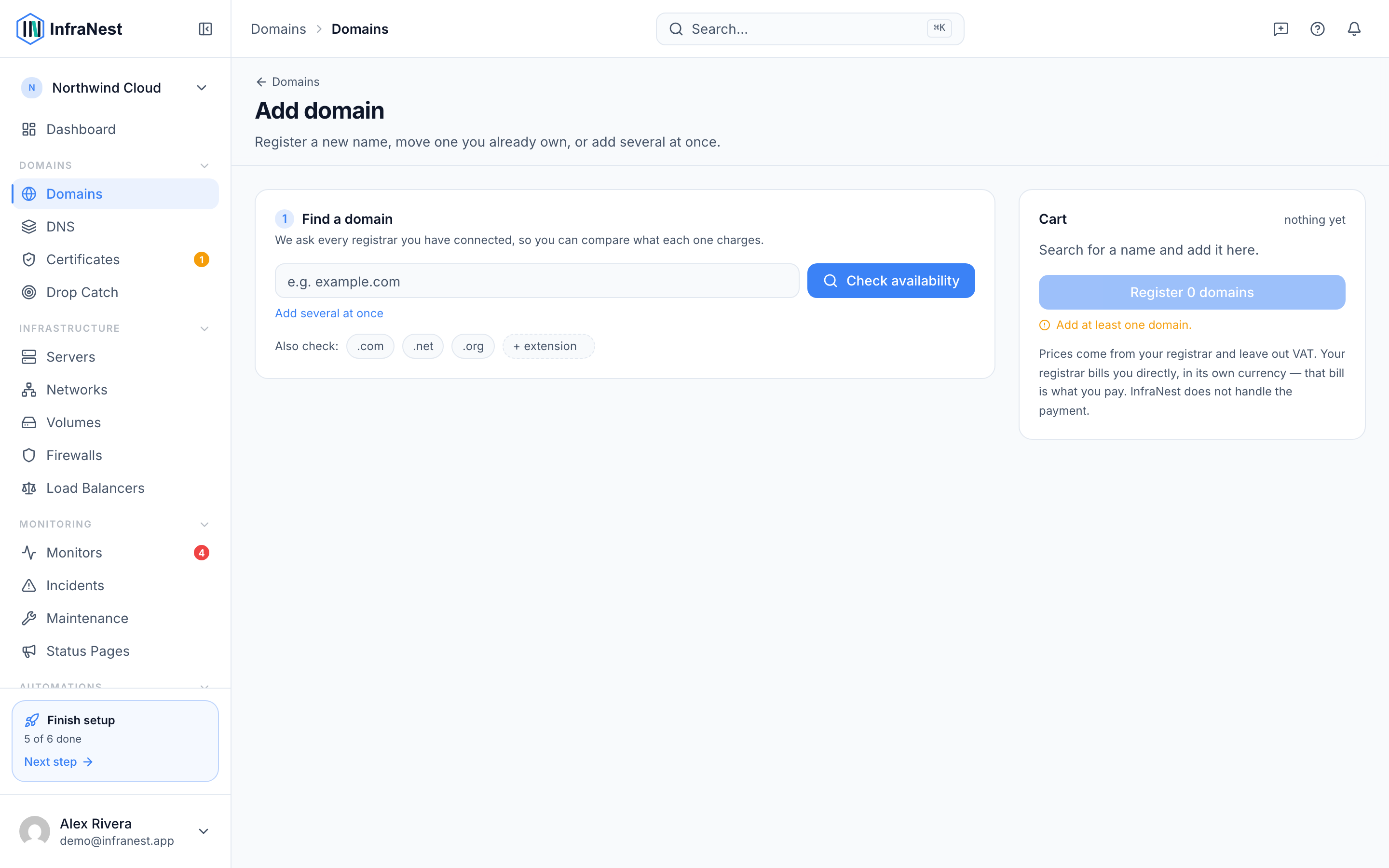
- To compare endings, tick the extra ones under Also check —
.com,.netand.orgare offered, and you can type any other. Results are grouped one block per name. - Select Add on the registrar you want. It goes into the cart on the right. (Registrars that can manage but not register a domain are left out of this step.)
- Add as many names as you like — searching again keeps what's already in the cart. To check a list of names at once, use Add several at once and paste them one per line.
- Set the term, nameservers, WHOIS privacy and auto-renew once for everything you're registering, and choose the contact to use.
- Some domain endings need extra details — for example .us, .ca, .uk or .eu. InfraNest asks for those once per ending, however many names of it are in the cart.
- Check the cart — each registrar's charge is listed separately, because two registrars means two charges — then select the button at the bottom. It names what it will do and what it costs, for example "Register 2 domains · €25.98". Each one runs in the background, and their statuses update as they complete.
NoteIf the button is greyed out, the summary lists exactly what's missing or blocking — a required field, no contact yet, a contact missing details a registry insists on, or the name having been taken since you searched.
Already registered? Transfer it instead
- Search for the name — if it's taken, InfraNest says so and offers Add transfer on any registrar that can bring it in.
- Select Add transfer. It joins the same cart as your registrations, so you can register some names and transfer others in one go. The price shown on a transfer row is the transfer price, which usually includes an extra year.
- Have the EPP / Auth Code ready from your current registrar for each transfer — InfraNest checks the usual reasons a transfer fails before you start. See Transfer a domain for details.
Set WHOIS privacy and auto-renew
Both are set once for everything you're registering.
- Turn on WHOIS privacy to hide your name, address and phone number from public WHOIS lookups. Some endings do this by default, and a few registries don't allow it at all.
- Turn on Renew automatically so the registrar renews the domain before it expires, so it can't lapse by accident. You can change this later on the domain's own page.
These settings are applied as soon as the registrar confirms the registration, not at the moment you press the button — until then the registrar has an order rather than a domain. If the registrar you chose can't change one of them through its connection to InfraNest, the switch is turned off and says so; set it in the registrar's own control panel instead.
Understand premium domains
Some names are priced by the registry rather than the registrar's normal rate card, and they're marked Premium in the results. Before registering one, InfraNest asks you to confirm: the amount actually charged can be far higher than the price shown — sometimes many times higher — and the renewal price can differ too. Check the exact price with the registrar first.
Not every registrar can tell us whether a name is premium. Where none of yours could, the name is marked Price not confirmed and the row adds a note that the price shown is the standard rate, unconfirmed for this specific name. You'll still get a confirmation step before buying. The label disappears as soon as any of your registrars gives a straight answer, so connecting a registrar that reports premium names is the simplest way to see fewer of them.
Compare prices across registrars
Registrars quote in their own currency, which makes a column of raw numbers hard to read. Each row shows the price converted to your organisation's currency as the large figure, with the registrar's own amount underneath — for example ≈ €11.94 above $12.98 charged.
- The converted figure is for comparison only. The registrar bills you in its own currency, and its invoice is what counts. Conversion uses the European Central Bank's reference rate, and the date is shown under the results.
- A Cheapest badge is only shown when it's genuinely clear-cut. If two registrars are within a couple of percent of each other in different currencies, no badge appears — tomorrow's exchange rate could swap them round.
TipWatch the renewal price, not just the first year. A cheap first year with an expensive renewal is common.
Tips
- A contact needs a street, postcode, city and phone number before a registry will accept it as the registrant. Contacts missing any of those are grouped under Missing details in the picker, and the page names what's missing.
- You can add a contact without leaving the page, so building a cart and then needing a contact doesn't lose your work. See Manage domain contacts if you need to set contact details up first.
- Domains you register join your portfolio automatically.
Troubleshooting
- If a registrar doesn't offer a particular ending, you'll see a clear "not offered" note instead of an error.
- If InfraNest can't check whether an ending needs extra details, it tells you so rather than implying there's nothing to fill in — you can still continue, but the registrar may refuse the registration if something is missing.
- One registrar being unreachable only affects its own row; the rest of the results still appear.
Was this article helpful?