

If you want a chance at grabbing a domain the moment it becomes available, this article shows you how to set up automatic catching so you don't have to be watching the clock yourself.
Overview
- When you add a watch, you choose how InfraNest should try to get the domain when it drops.
- You can be alerted to register it yourself, have InfraNest register it automatically through your own registrar, or use a backorder service for contested names.
- Every catch attempt is logged, and you're notified at each key stage.
Choose how to catch it
- On the add-watch screen (or later on a watch's Registrars tab), pick one of three modes:
- Just alert me — you get notified the instant the domain is available and register it yourself.
- Register with my own registrar — InfraNest auto-registers it through your connected registrar accounts.
- Use a backorder service — a specialist service (Dynadot) tries to catch it for you ahead of the drop. Best for contested names; you only pay if it wins.
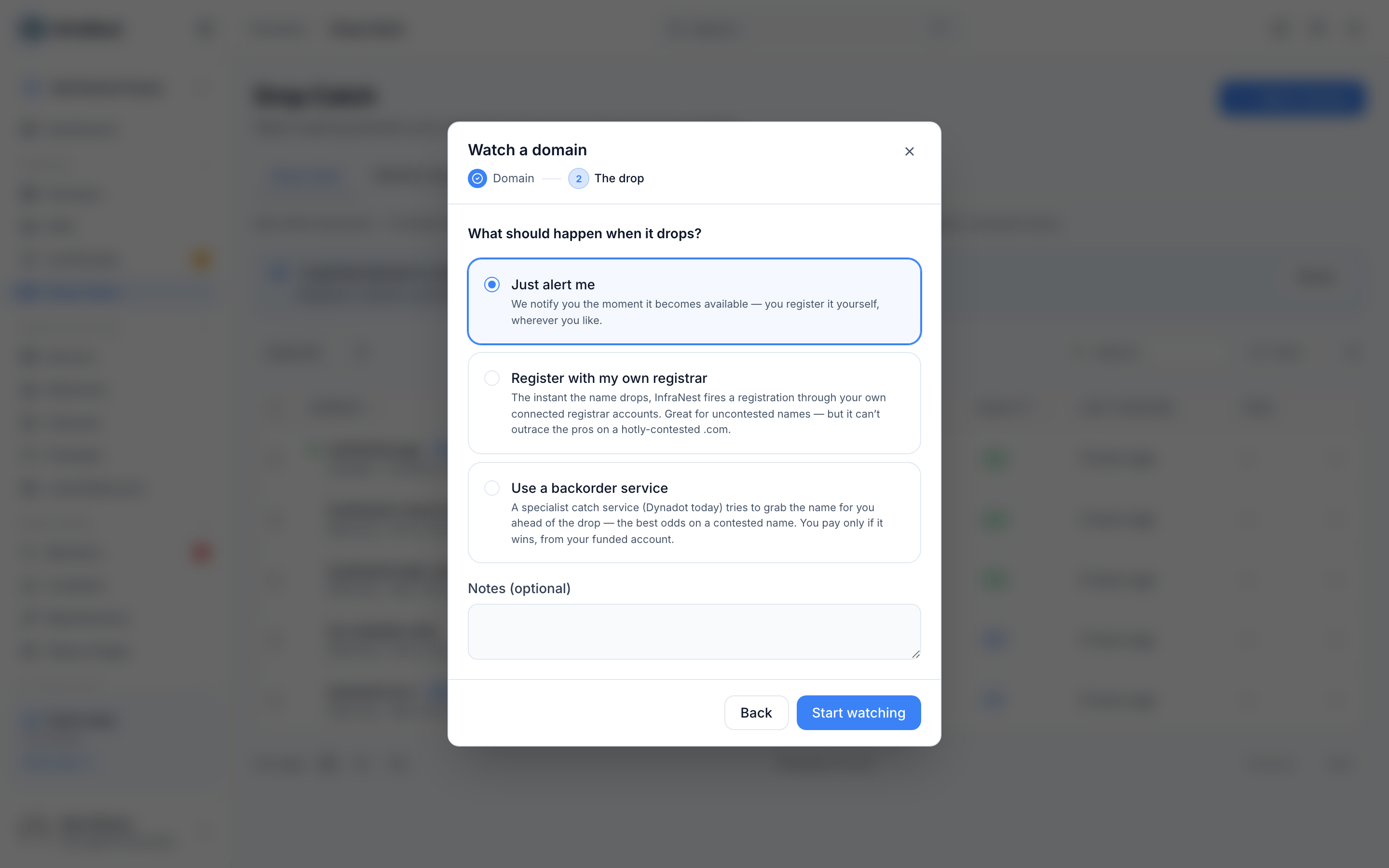
Register with your own registrar
- Open the watch and choose Register with my own registrar (or Auto-register on the Registrars tab).
- Choose your Registrars to use in order — a target and one or more backups. If the first can't register it, InfraNest falls through to the next.
- Pick the registrant contact to use, and fill in any extra details the domain ending requires.
- Check the catch-readiness panel — it's green when everything's in place, or shows a checklist of what's still missing.
When the domain drops, InfraNest confirms it's available, registers it, adds it to your domain portfolio, and logs every attempt.
Place a backorder instead
- Choose Use a backorder service.
- Pick your connected Dynadot account.
- InfraNest places the backorder ahead of the drop; Dynadot does the catching.
If the backorder wins, Dynadot deposits the domain into your funded Dynadot account, which InfraNest then imports for you automatically. You only pay if the backorder wins.
NoteA backorder needs a connected Dynadot integration with funds in the account, and is a premium feature.
Alerts
You're notified at each key moment — dropping soon, available, went to auction, caught or failed — through your alert destinations (email, Slack, Telegram) and your outbound webhooks, so your own tools can react too.
NoteThe readiness check runs ahead of time so a catch never fails at the last second for a missing contact detail or required field.
Was this article helpful?