

DNS templates let you save and reuse a set of DNS records, so you don't have to re-create the same setup by hand every time — this is for anyone who manages multiple domains with a similar DNS setup, like an email provider's records or your organisation's standard baseline.
Overview
- A template is a saved group of DNS records you can apply to any zone.
- Useful for standard setups like an email provider's MX, SPF, DKIM and DMARC records, a SaaS tool's verification records, or your own baseline records for every new domain.
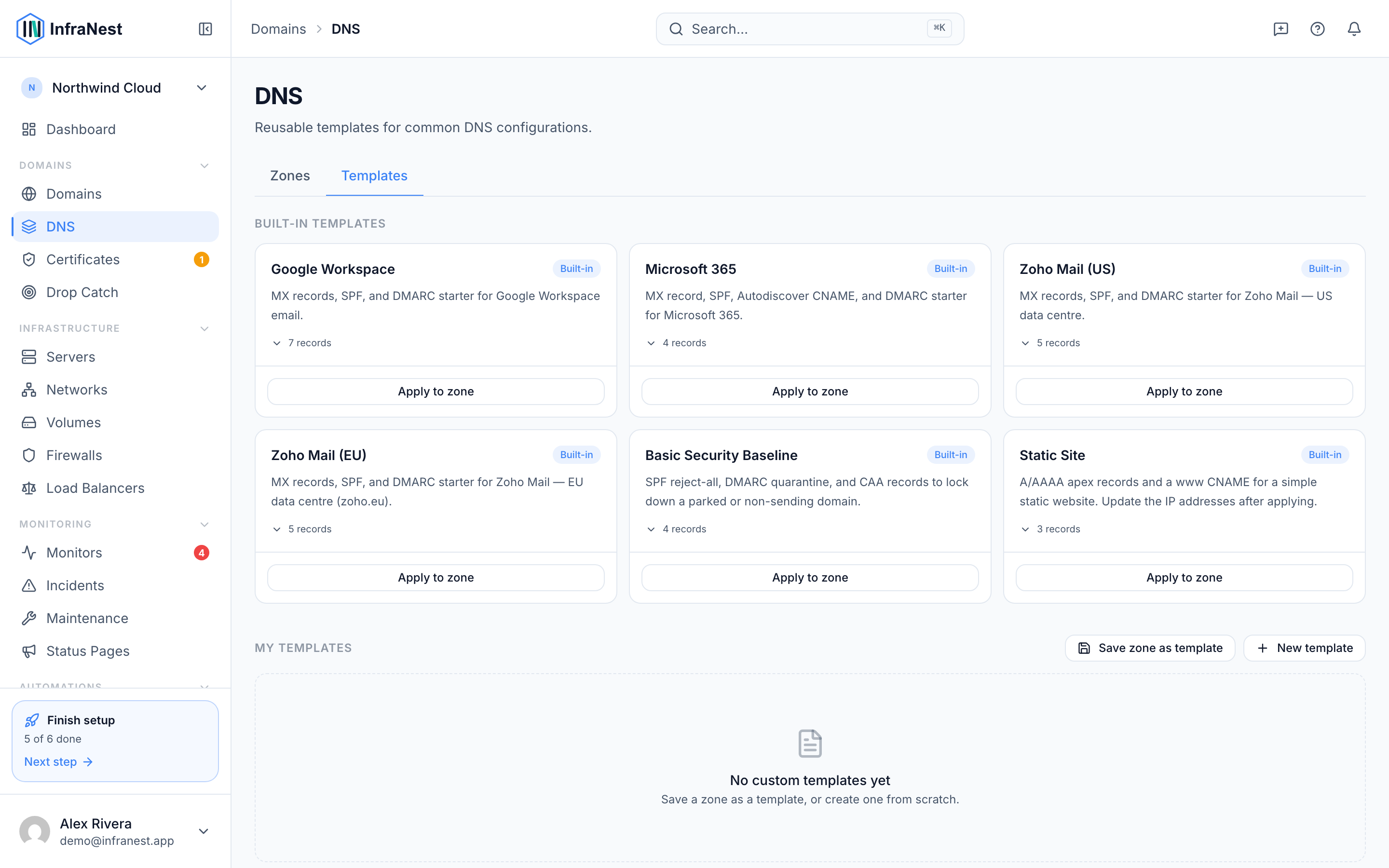
- You can use ready-made Built-in templates or create My templates from scratch or from an existing zone.
Use a template
- Go to DNS and open the zone you want to update.
- Choose Apply a template, pick the template you want, then use Preview changes to see exactly which records it will add before you commit.
- Select Apply template. The records are added to the zone, and pushed to your provider where that's supported.
NoteYou can also apply a template while adding a new zone — look for Apply a template during Add a DNS zone.
Make your own template
- To capture a setup you already have, open a working zone and choose Save zone as template. Give it a Template name and save — this is the quickest way to turn existing records into a reusable template.
- To start from scratch, go to DNS Templates and select New template. Add a name, an optional description, and the records you want included, then select Save template.
- Use DNS Templates to see My templates alongside the Built-in templates. From here you can Edit, Rename or Delete template for any template you created.
NoteBuilt-in templates are read-only — you can apply them, but you can't edit or delete them. If you want a variation, create your own template instead.
Tips
- Keep a template for each email provider you support (for example, its MX, SPF, DKIM and DMARC records) so new domains are set up correctly the first time.
- Save your organisation's standard records — verification records, security policies, and so on — as a template you apply to every new domain.
Was this article helpful?