

About DNS explains how InfraNest brings together the DNS for all your domains — no matter which provider hosts them — so anyone on your team can manage records without learning a new tool per provider.
Overview
- One consistent editor for every provider — no need to log into each provider separately.
- Two-way sync keeps InfraNest and your provider in agreement, and flags anything that changed outside InfraNest as drift.
- Built-in security checks catch missing or misconfigured email and domain protections.
- Templates let you roll out the same set of records to multiple zones in a few clicks.
What you can do
One editor for every provider
Zones from Cloudflare, Hetzner, TransIP, GoDaddy, IONOS, Namecheap and other providers all show up together in DNS, and you edit them the same way regardless of where they're hosted.
Two-way sync
When you change a record in InfraNest, it's pushed to the provider automatically. When something changes at the provider directly, InfraNest pulls it back in. If a record was changed outside InfraNest and no longer matches, it's marked so you can review it.
Keep DNS and email secure
Each zone is checked for common issues covering SPF, DMARC, DKIM, MX, DNSSEC and CAA, so you can see at a glance what's configured and what needs attention.
Roll out standard records with templates
Save a working set of records as a template, then apply it to any zone instead of re-entering the same records by hand each time.
Manage whole zones
Discover zones from a connected provider, create new zones, delete zones you no longer need, copy records from one zone to another, or import records by scanning what's currently live.
The DNS page
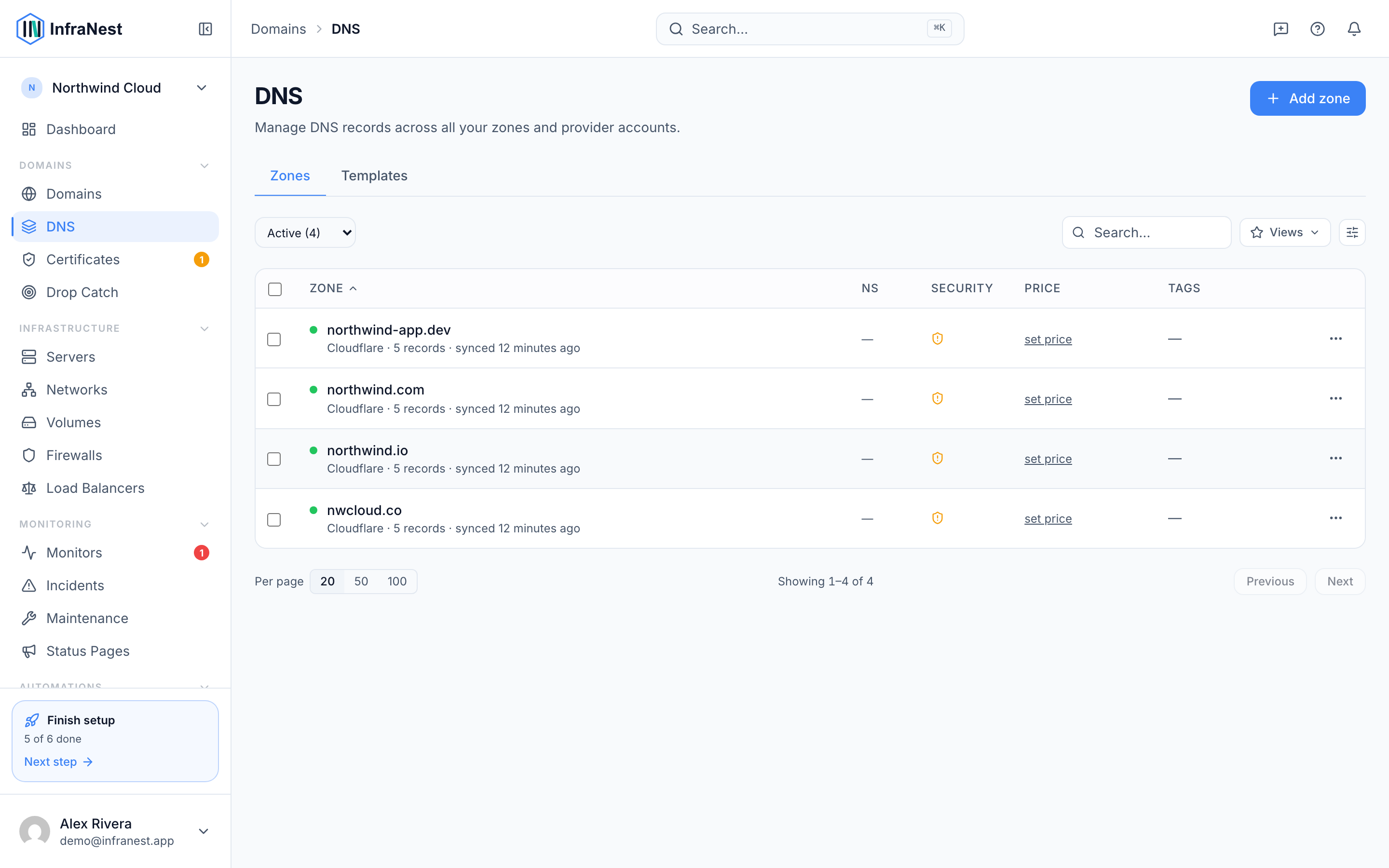
The DNS page lists every zone across all your providers, showing its Status, Provider, record count and when it last synced.
- Go to DNS in the sidebar.
- Use Search or Filter to find a specific zone, or add Tags to organize them.
- Use Add DNS zone to discover zones from a connected provider or create a new one.
- Select a zone from the list to open it and manage its records.
NoteDrift means a record was changed directly at the provider rather than in InfraNest. Reviewing flagged records keeps both sides in sync and avoids surprises.
Was this article helpful?