

Firewall templates let you save a set of firewall rules once and reuse them across your servers, so everything stays protected with the same consistent, safe baseline.
Overview
- A template is a reusable set of firewall rules.
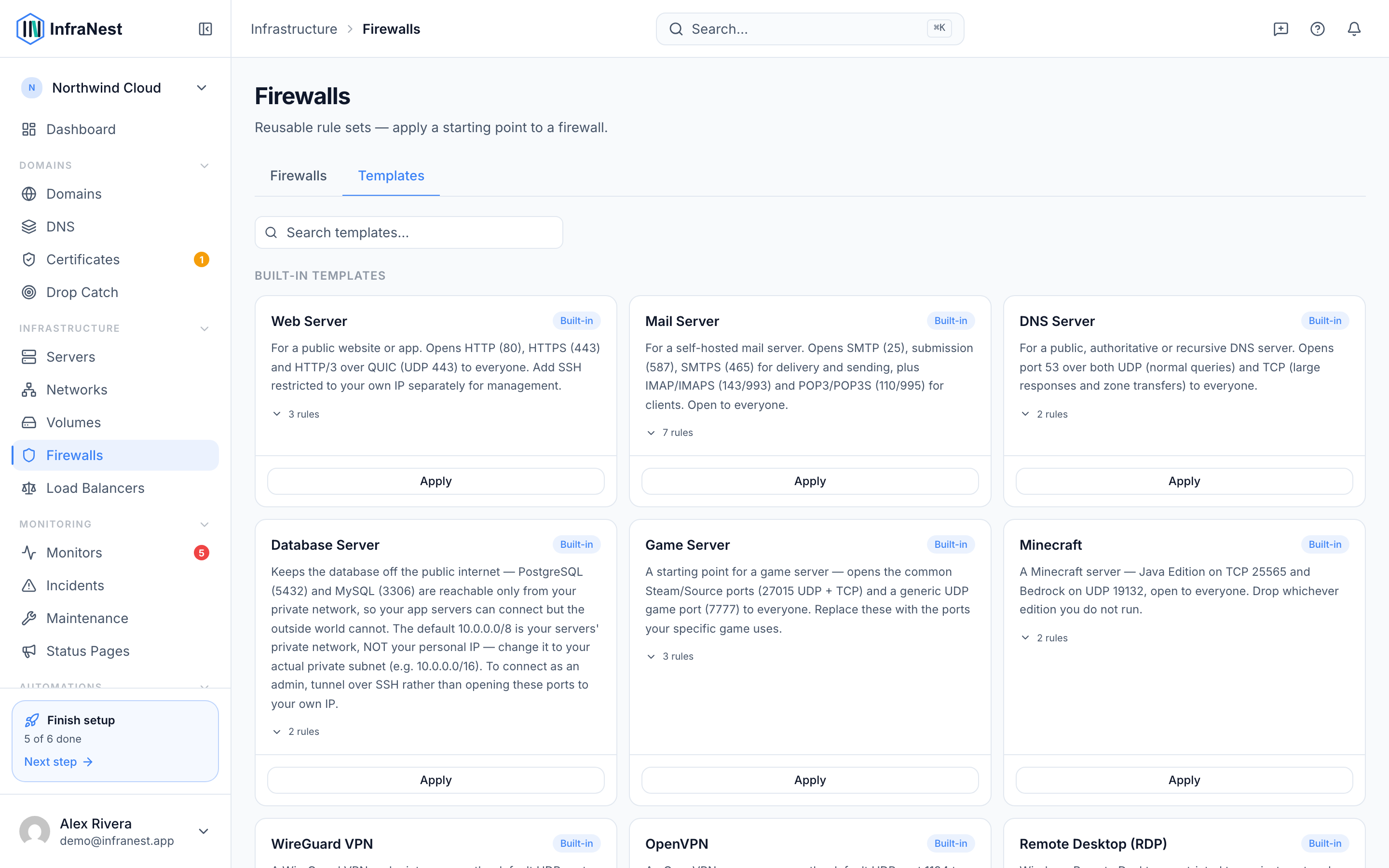
- InfraNest comes with built-in templates you can apply right away.
- You can also turn any of your own firewalls into a custom template.
- Applying a template helps bring a server or firewall in line with your standard setup.
Use a template
- Go to Firewalls in the sidebar.
- Open the firewall you want to update, or select the server whose firewall you want to standardize.
- Choose Save firewall as template, or, if you're applying an existing template, select New firewall template or the template you want from your saved list.
- Decide whether to Append the template's rules to the existing ones or Replace them entirely.
- Check the Resulting rules preview to confirm the changes look right.
- Select Apply to to choose which firewalls or servers should receive the template.
- Confirm with Apply to servers. You'll see a Template applied confirmation once it's done.
Make your own template
- Open the firewall or server whose rules you want to reuse — this should be a known-good, already-working setup.
- Select Save firewall as template.
- Give your template a clear name so it's easy to recognize later.
- Select Create (or Save) to store it.
- Your new template now appears alongside the built-in ones and can be applied to any firewall or server.
Manage templates
- Go to Firewalls and open the templates area.
- Use Search templates… to quickly find the one you need.
- Select Edit to update a template's rules, or Rename to give it a new name.
- Select Delete to remove a template you no longer need. You'll see a Template deleted confirmation.
- Built-in templates can't be changed or removed — only templates you've created can be edited or deleted.
NoteBuilt-in templates are read-only. If you want a variation, capture your own template from a firewall and customize it instead.
TipThe quickest way to standardize a rule set you already trust is to capture it directly from an existing, known-good firewall rather than building one from scratch.
Troubleshooting
- Could not save the template — this means your changes weren't stored. Check your rules for errors and try Save again.
- If applying a template doesn't seem to take effect, check whether the firewall shows Out of sync with the provider — you may need to Pull from provider or Review differences first.
Was this article helpful?