

Volumes are extra block storage you can attach to your servers, and this article is for anyone who needs more disk space without resizing their whole server.
Overview
- A volume is a separate storage disk you can create, attach to a server, resize, detach, or delete as needed.
- Volumes are useful when you need more room for data without changing your server's plan.
- Unattached volumes still cost money, so InfraNest flags them to help you avoid paying for storage you're not using.
Manage volumes
- Go to Volumes.
- Select Create volume to set up a new volume, choosing its Name & tags, Size (GB), Location, and optionally a server under Attach to a server (optional) (or choose Leave unattached).
- Review the Summary, including the Estimated monthly cost, then confirm to finish. You'll see Volume created or, if it's still being provisioned, Volume ordered, appears shortly.
- To attach an existing volume to a server, open the volume and select Attach volume, then choose the server under Server attachment.
- To resize a volume, open it, go to Volume information, enter the New size (GB), and select Resize.
- To detach a volume from its server, select Detach volume (or Detach).
- To remove a volume you no longer need, select Delete volume.
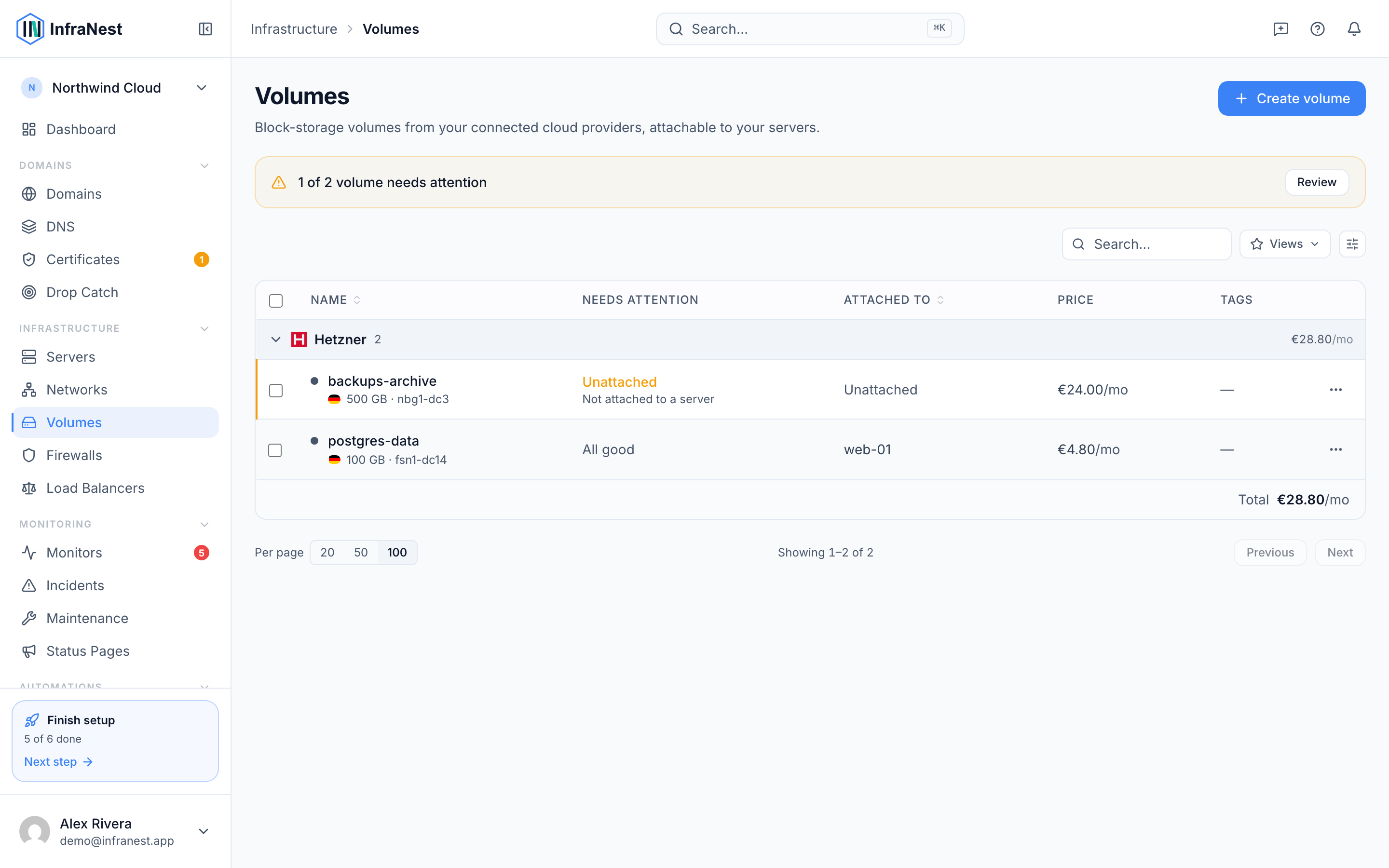
NoteThe server Security Advisor flags volumes you've left Unattached, so you don't pay for storage you're not using.
Was this article helpful?