

The Security Advisor checks your server's setup for common risks and gives you one-click fixes, so anyone can keep a server secure without being a security expert.
Overview
- Every server has a built-in Security Advisor on its overview.
- It sorts findings by how important they are, explains why each one matters, and links straight to the fix.
- Checks are based on your server's live firewall rules, so results always reflect its current setup.
Run the Security Advisor
- Open a server and find the Security Advisor section on its overview.
- Review the findings, listed from most to least urgent.
- For any failing check, use the fix link to jump straight to where you can resolve it.
- If a check doesn't apply to this server, you can ignore it.
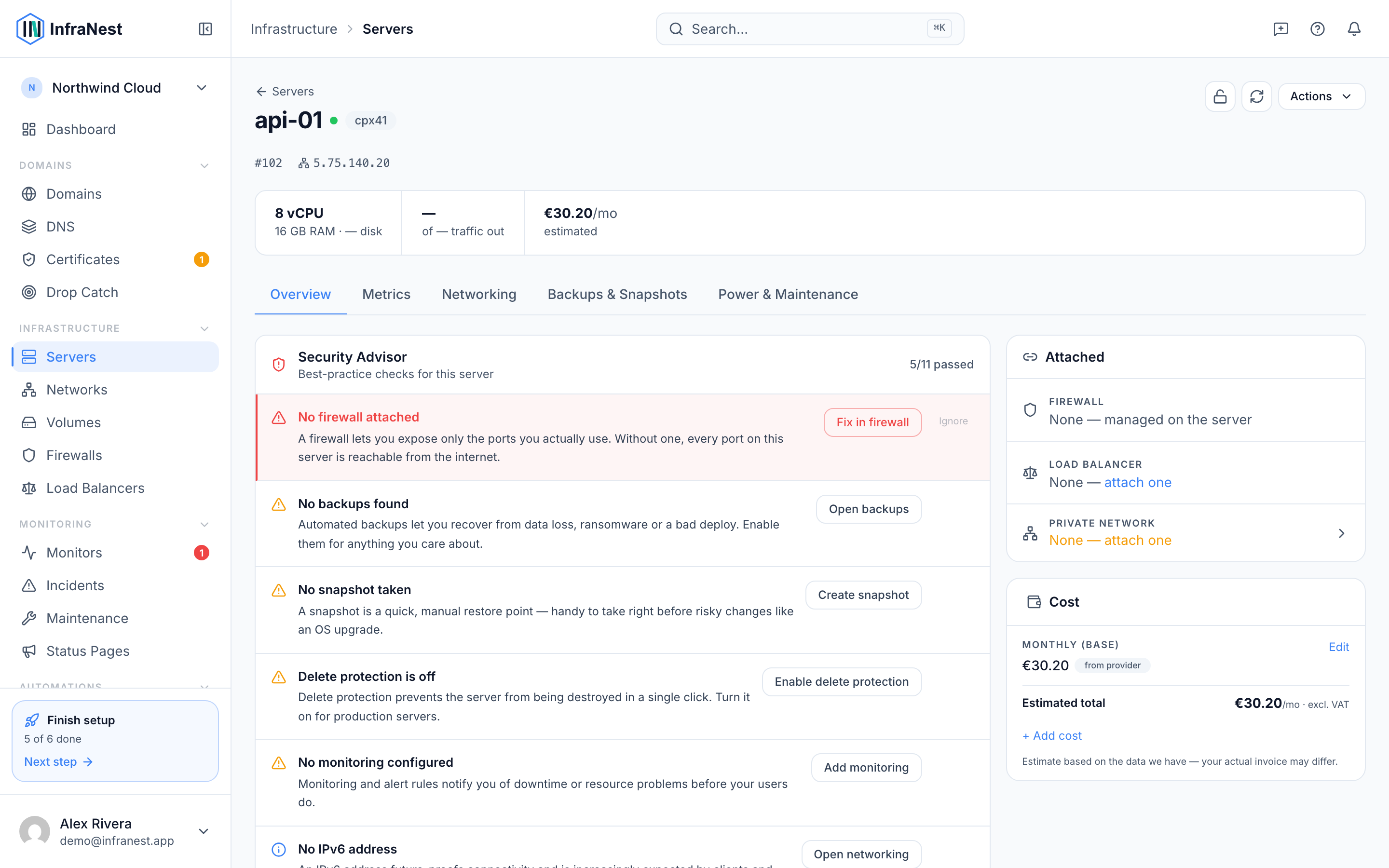
What it checks
Critical
- No firewall attached
- SSH is open to the internet
- Database ports exposed to the internet
- RDP is open to the internet
Recommended
- Backups off
- No snapshot taken
- Delete protection is off
- No monitoring configured
Info
- No IPv6 address
- Running for over 90 days
- No private network attached
- Unattached volumes are being billed
NoteThe advisor reads your server's live firewall rules for the exposure checks, so what you see always matches how the server is actually set up right now.
Tips
TipUse Hide passed checks to focus only on the issues that still need attention.
Was this article helpful?
Related articles
About cloud serversInfraNest brings your cloud servers — and the firewalls, volumes, networks and load balancers around them — into one place, so you can run and secure them…Manage a serverOpen a server to control its whole lifecycle — power, rebuilds, recovery, networking and more.Set reverse DNS (PTR)Reverse DNS (a PTR record) maps a server's IP address back to a hostname — useful for mail servers and clean logs.Create a serverProvision a new cloud server through one of your connected providers, without leaving InfraNest.