

The Cost report gives you a clear picture of what your infrastructure actually costs, and it's meant for anyone who needs to track or explain spending across providers without doing the math by hand.
Overview
- Shows what your infrastructure costs per month and per year, across every provider, in one currency.
- Breaks spending down by type, by provider, and by tag.
- Counts every priced item InfraNest knows about — servers, volumes, load balancers, domains, certificates, and anything you've priced yourself.
What's counted
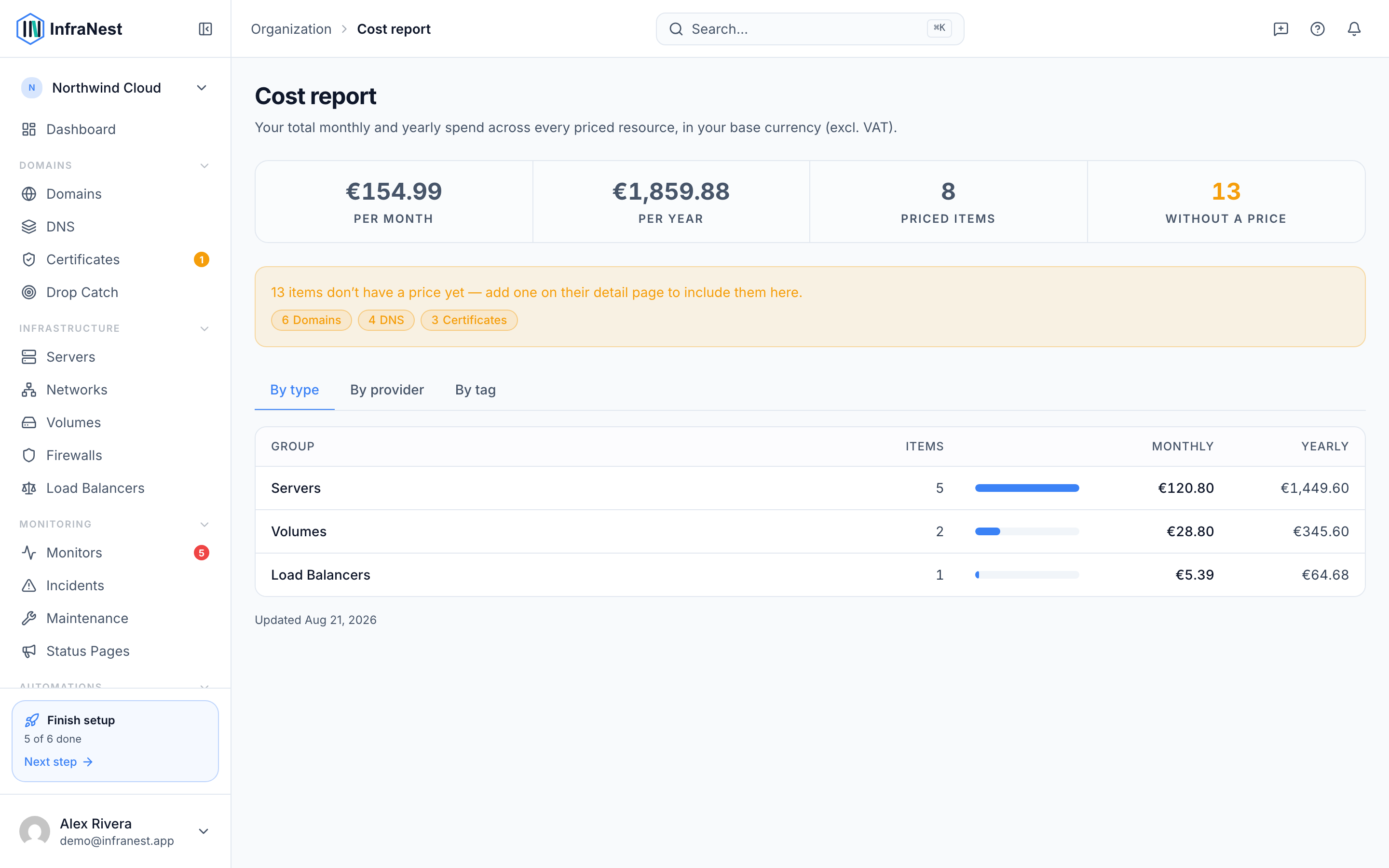
The report includes every priced item InfraNest knows about — servers, volumes, load balancers, domains, certificates and anything you've priced yourself. It shows Per month, Per year, how many Priced items there are, and how many are Without a price.
Prices come from the provider where InfraNest can read them, and from you where it can't — open any item and add a cost to include it.
Understand the three breakdowns
- Look at By type to compare spending across servers, domains, certificates, and other categories.
- Switch to By provider to see what each provider costs you.
- Check By tag to see spend per tag, plus an Untagged total for everything else.
TipIf you use custom fields, you can also group the report by one of your own choice fields — a Client or Cost centre field turns the report into a per-client bill.
Make sense of numbers that look wrong
- Remember that tag totals can add up to more than the grand total. An item with several tags counts fully towards each of them, because a tag answers "what does this tag cost me?" — not "what share of this item belongs to it?".
- Check for items priced in a currency without an exchange rate — these sit outside the totals rather than being converted at a guessed rate. The report tells you how many are affected.
- Note that attached items are counted once: a volume attached to a server is counted as a volume, not as part of the server. This keeps the grand total matching what you actually pay.
Tips
NoteAll figures are shown excluding VAT unless your organization is set up otherwise — the heading on the report tells you which. The report is a snapshot of current resource costs, not an invoice, and it doesn't include usage-based charges your provider bills separately.
Troubleshooting
- Seeing an upgrade prompt instead of the report? Cost reporting is part of a paid plan, so this is expected if you're not on one.
- An item shows as Without a price? Open the item and add a cost to it so it's included in the totals.
Was this article helpful?