

Automation templates let you set up a working automation in a couple of clicks, without designing one from scratch. This article is for anyone who wants to try automations quickly or reuse a rule they've already built.
Overview
- Templates are ready-made automations covering common tasks.
- Each one shows its trigger, conditions and actions in plain language before you commit.
- You can adjust anything after adopting a template — it becomes your own independent rule.
Use a template
- Go to Automations.
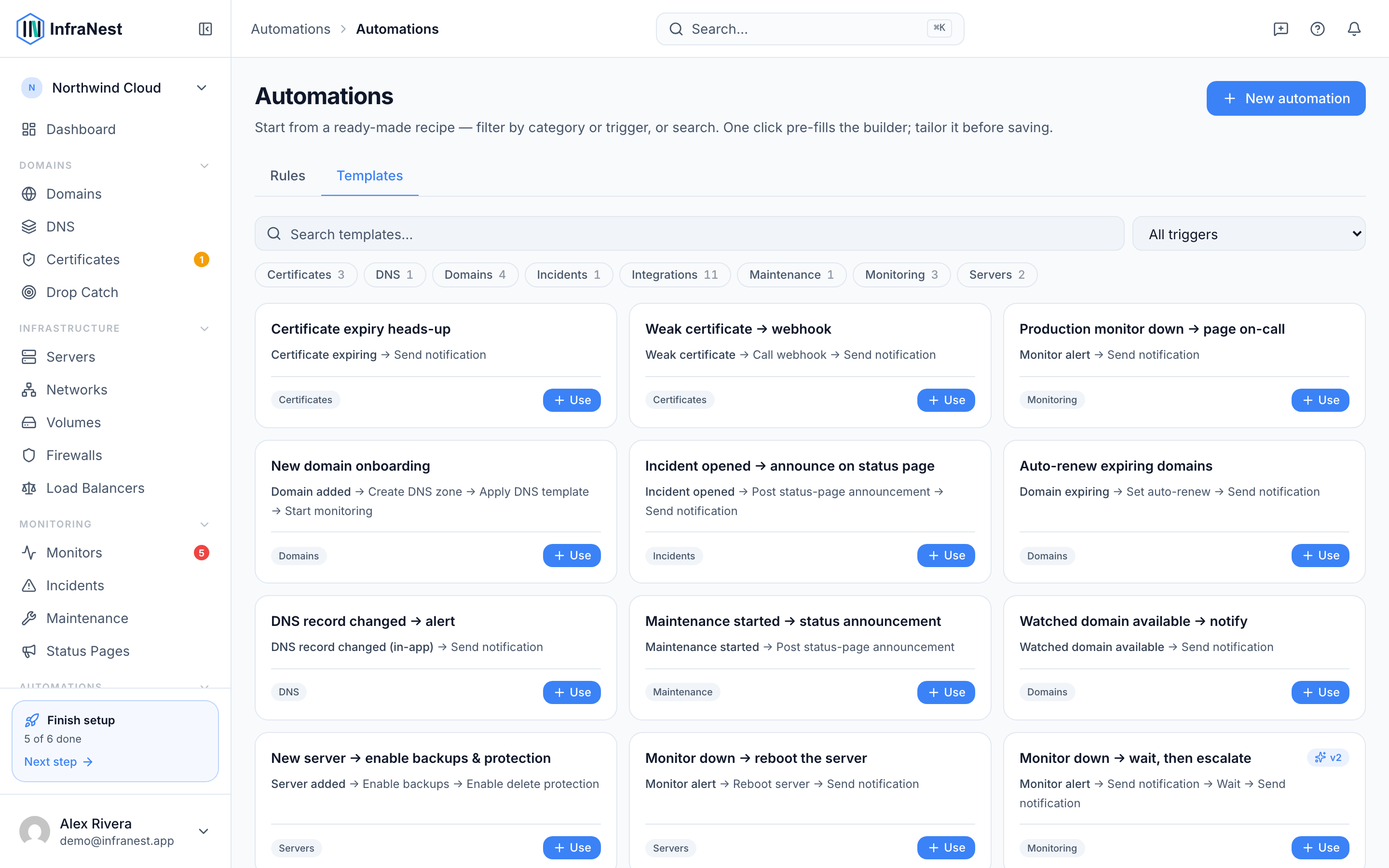
- Open the Templates gallery.
- Pick a template to see what it does — its trigger, its conditions and the actions it will run, written in plain language.
- Select it to create a rule from it.
- Adjust anything you want, then save.
NoteThe rule is yours from the moment you create it. Editing it later doesn't affect the template, and the template never changes your rule.
Check it before you trust it
Every rule — whether it came from a template or not — can be tried before it runs for real.
- Open the rule you want to check.
- Use Test run to see exactly what would happen, without doing any of it.
- Use Would have run to replay the rule against events that already happened, so you can see how often it would have fired.
TipBoth checks are worth a minute, especially for a rule that changes something at a provider.
Save your own template
- Open the rule you want to reuse.
- Save it as a template from the rule itself.
- Find it in the Templates gallery alongside the built-in ones, ready to use again — for this organization or another one.
Good to know
- A template only fills in the rule itself. Anything it needs — a connected integration, a destination for notifications — still has to exist for the rule to work.
- Templates you save belong to your organization; nobody outside it sees them.
Was this article helpful?
Related articles
About automationsAutomations let InfraNest react to things happening across your infrastructure on its own.Automation conditionsConditions decide when a rule actually runs. Without them, a rule runs on every matching event; with them, it runs only when the event's details match.Automation examplesA few ready-to-copy automations to show what's possible. Build any of these under Automations → New automation, or start from the Templates tab.Placeholders and formattingPlaceholders let an automation drop live details from the event into a message, title or webhook — so instead of a generic "A certificate is expiring" you…