

InfraNest includes a quick command menu that lets you jump to any page or find help without hunting through the sidebar — handy for anyone who wants to get around faster.
Overview
- Opens from anywhere in InfraNest with a simple keyboard shortcut.
- Lets you jump straight to a page, like Domains, Monitors, or Billing.
- Lets you search help articles without leaving the page you're on.
Open the command menu
- Press ⌘K if you're on a Mac, or Ctrl+K if you're on Windows or Linux. This works from anywhere in InfraNest.
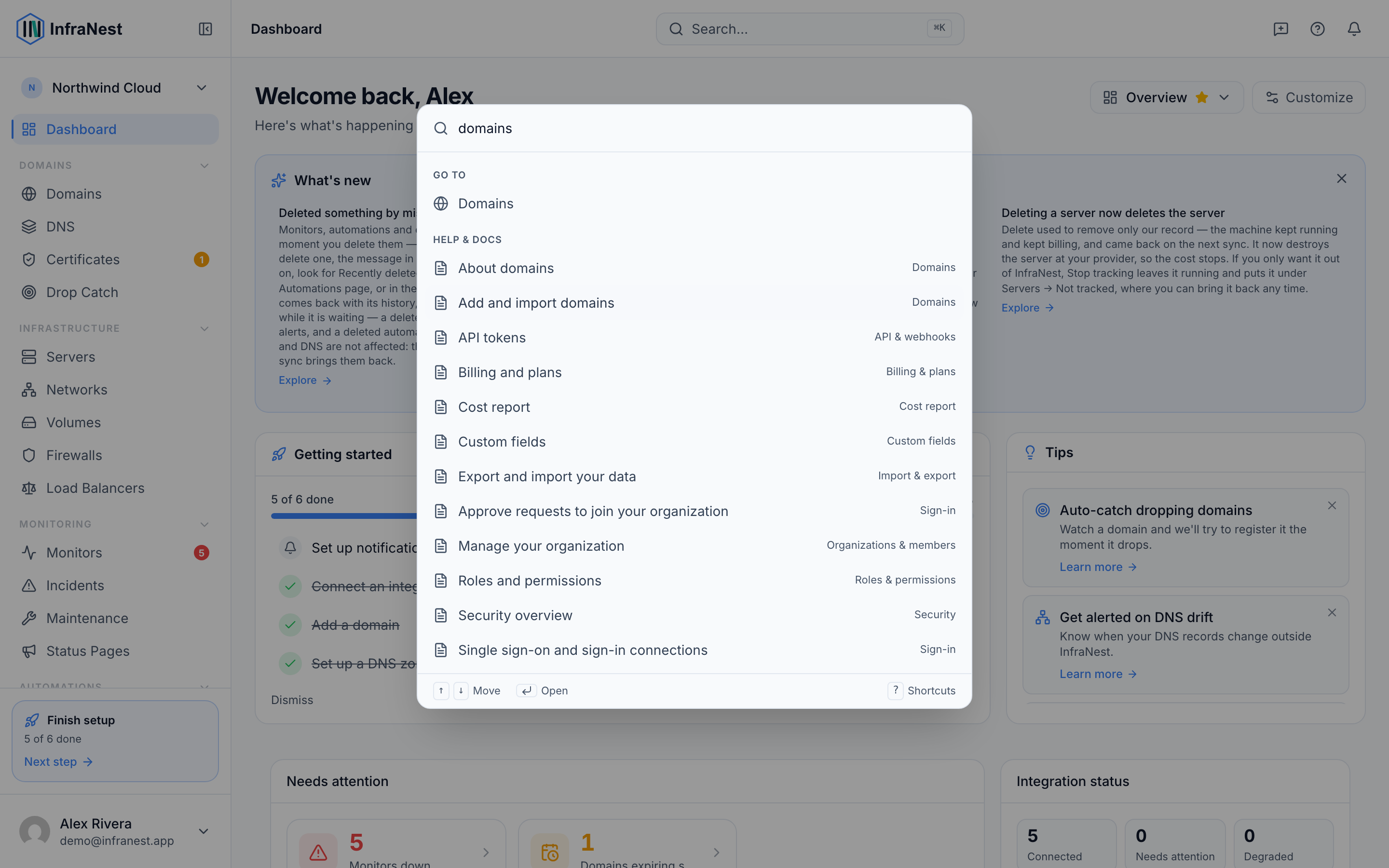
Jump to a page
- Open the command menu using the shortcut above.
- Start typing the name of where you want to go — for example, "domains", "monitors" or "billing".
- Press Enter to go straight to that page.
Search for help
- Open the command menu using the shortcut above.
- Type what you're looking for.
- Choose a matching help article from the results to open it right away.
Tips
TipPress Esc at any time to close the command menu without doing anything.
Was this article helpful?
Related articles
Getting helpHelp is built into InfraNest — you can read guidance for whatever page you're on without leaving it.Getting started with InfraNestWelcome to InfraNest. When you sign up, a short setup wizard gets your workspace ready, and your dashboard then guides you through the first few things to do.Keyboard shortcutsInfraNest works from the keyboard, so you can move around and act on things without reaching for the mouse.Contact support and follow a ticketAsk us a question from inside InfraNest and follow the reply in the same place — no email thread to lose.